Track the everyday
Record income and expenses with categories, dates, merchants, and notes. Keep the context that makes each transaction useful later.
Track everyday expenses, understand your habits, and make steady progress toward savings goals with a finance app designed around Indian users.
Download availability, supported platforms, and pricing will be announced when confirmed.
Everyday reporting for Indian users
Monthly and category-level views
Targets, contributions, and reminders
Cloud-assisted transaction extraction
Everyday clarity
These capabilities are implemented in the codebase. Their public release availability and account limits will be confirmed at launch.
Record income and expenses with categories, dates, merchants, and notes. Keep the context that makes each transaction useful later.
Review monthly reports, category breakdowns, savings summaries, and spending insights in one place.
Set savings targets, record contributions, follow progress, and use daily reminders to stay consistent.
Use cloud AI assistance to extract transaction details from a UPI payment screenshot, then review them before saving.
Export transactions as CSV or save a JSON snapshot of transactions and goals. Access depends on account tier.
Choose a light or dark theme and manage your account with email verification and password recovery.
A calm home for everyday money
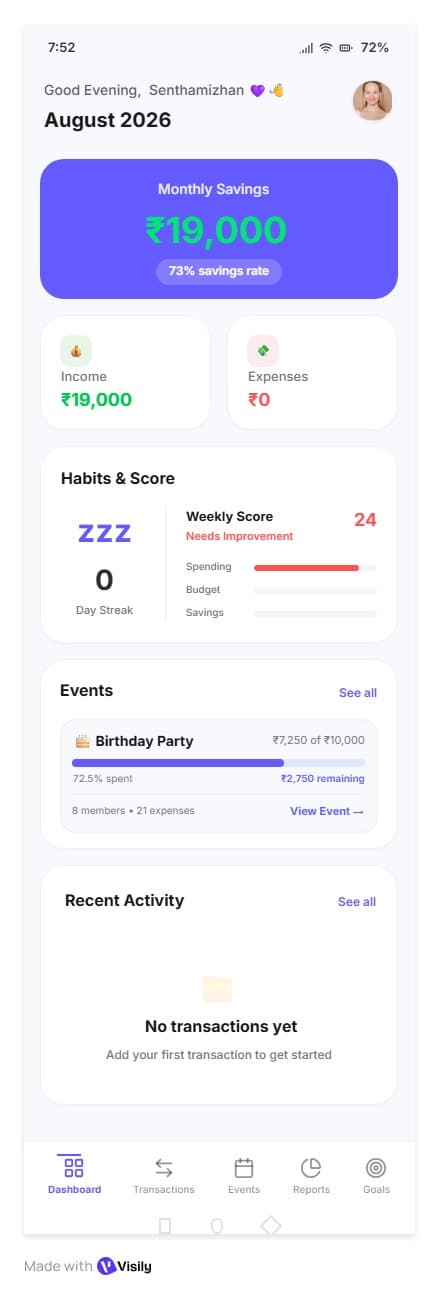
The dashboard direction brings income, expenses, monthly savings, recent activity, habits, and goals into a single view. It is meant to answer the first question quickly: how is my money doing?
See the month’s progress before opening a report.
Use reminders and indicators to build consistency.
Review the latest entries without losing context.
Keep targets close to everyday decisions.
This supplied mockup includes an Events card. Events is a planned feature and should be read as product direction, not current availability.
The next planned expansion connects event budgets, expense splits, settlements, analytics, and private group conversations for trips, birthdays, dinners, and other shared occasions.
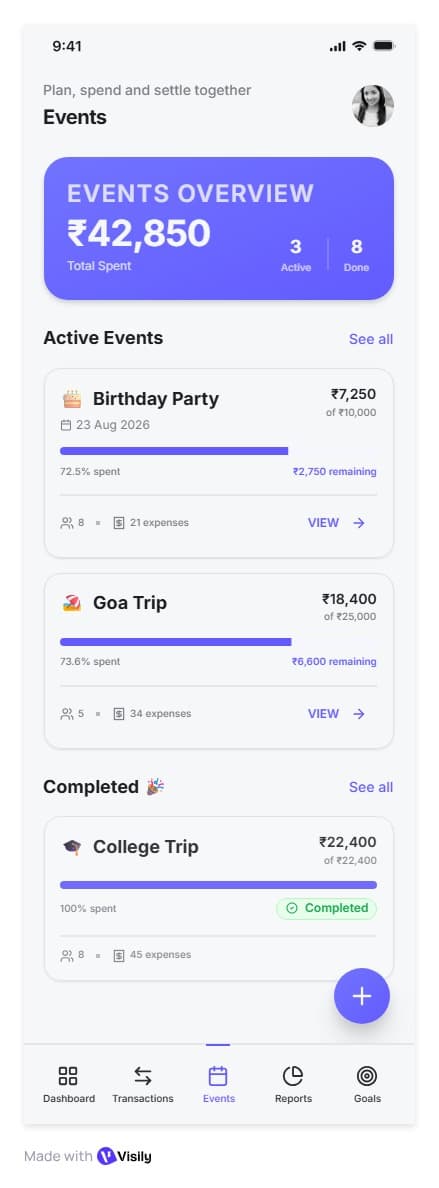
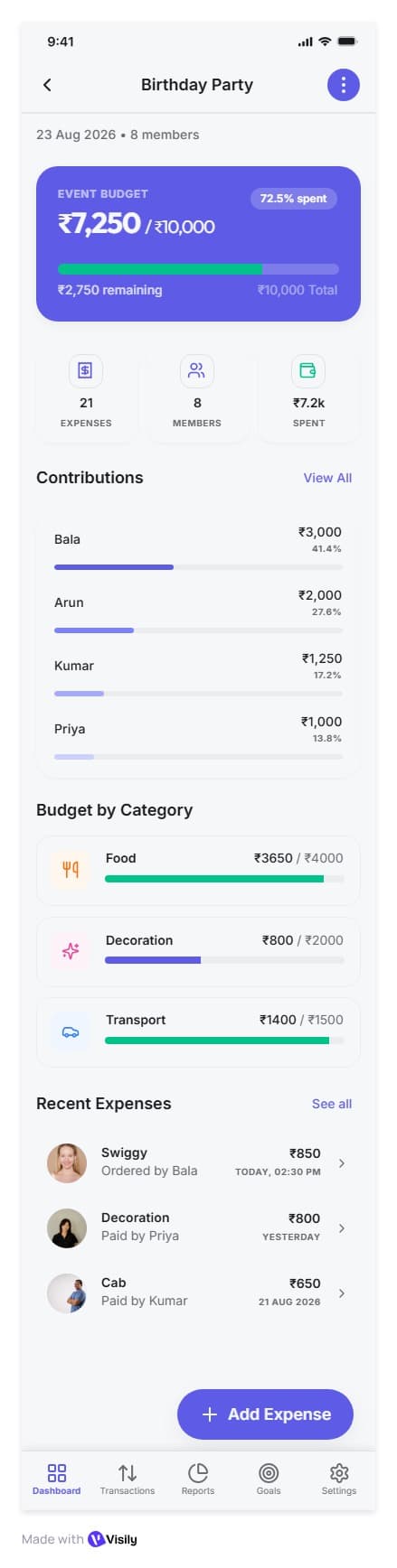
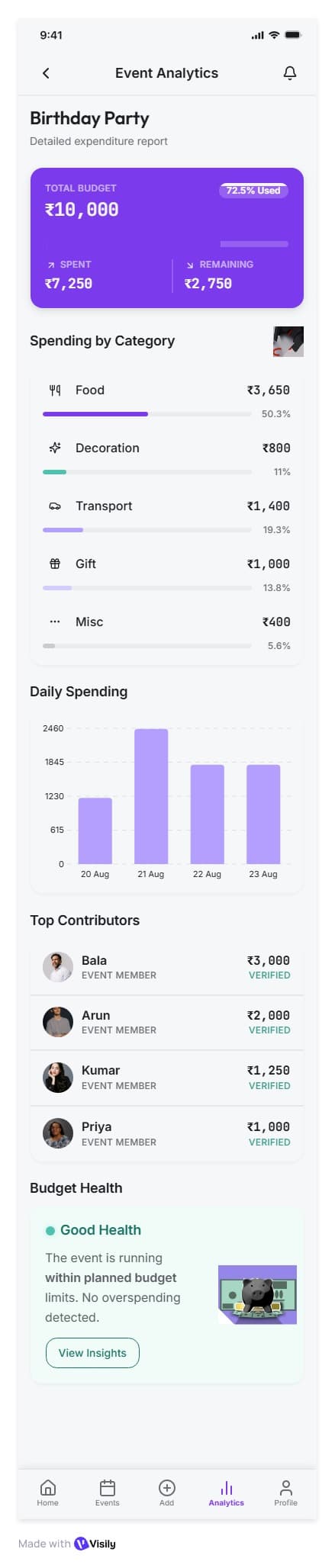
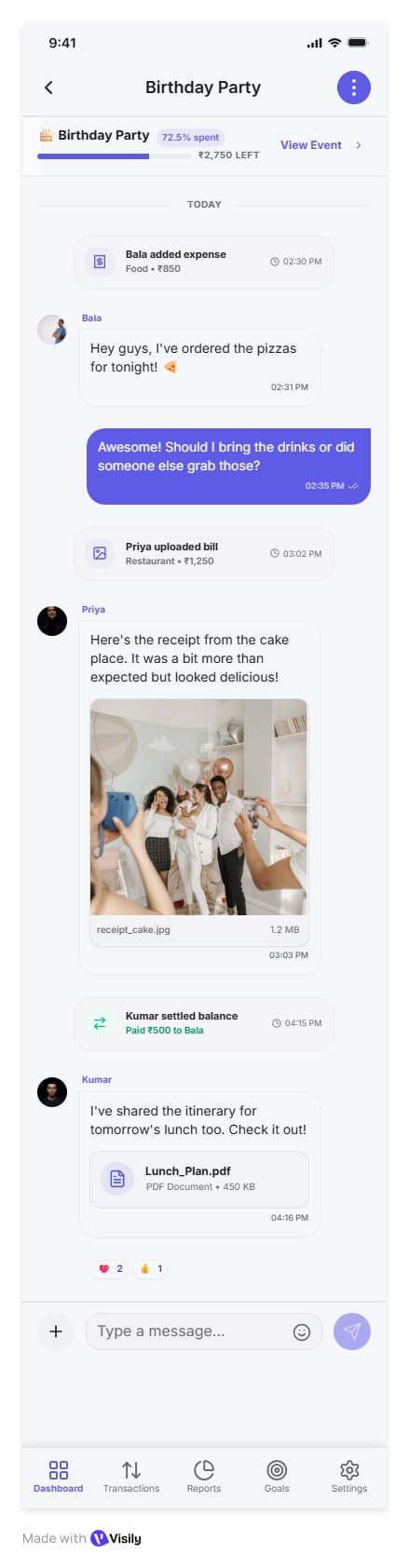
Event budgets, categories, invitations, and members.
Equal, percentage, and custom expense splits.
Member balances and settlement records.
Planned end-to-end encrypted event conversations.
Your data, explained
Financial data is processed by Spenxo's backend to support calculations and reports. The finance app is not end-to-end encrypted.
AI-assisted screenshot extraction uses cloud processing. Planned end-to-end encryption applies to future event conversations and attachments, not financial records.
Product information
Public download links and supported release platforms have not been announced yet. This page previews the product; launch availability and pricing will be shared when confirmed.
Choose a payment screenshot to extract transaction details and review them before saving. AI-assisted parsing uses cloud services and is subject to account limits. It does not verify a payment or connect to your bank.
CSV transaction exports and JSON snapshots of transactions and goals are implemented, with access gated by account tier. PDF export is still planned.
Not yet. Shared budgets, invitations, expense splits, settlement records, analytics, and end-to-end encrypted event conversations are planned features. The images shown here are interface concepts.
Spenxo helps you record and understand your finances. It does not transfer money, automatically sync bank accounts, or verify that payments have completed.
What's next
We'll add verified download links, supported platforms, and pricing here when launch details are confirmed.
Ask about Spenxo →